


| Key Pointer |
|---|
| • Stripe Tax calculates sales tax on Stripe-processed transactions at 0.5% per transaction |
| • Nexus monitoring covers only Stripe revenue, not Amazon, Shopify, or WooCommerce channels |
| • Filing is handled by third-party partners like TaxJar, not a dedicated Stripe compliance team |
| • No human specialist reviews returns before they are submitted to state revenue authorities |
| • State registrations are not included and must be handled independently by the business |
| • Stripe Tax Complete adds filing through TaxJar with a separate monthly subscription and annual contract |
| • Galvix monitors all channels, reviews every return, and manages state correspondence at a flat rate |
Stripe Sales Tax automation is the native tax compliance layer built into the Stripe Dashboard. It helps businesses calculate the amount of tax due on Stripe transactions and reduce avoidable tax liability when setup, registration, and filing are handled correctly.
For businesses that process all revenue through Stripe and operate at modest transaction volumes, the integrated approach has clear appeal. Tax calculation is automatic; Nexus monitoring alerts appear when thresholds are crossed; and filing is available through Stripe’s third-party filing partners for an additional fee.
The reality for multi-channel businesses and high-volume sellers is more complex. Stripe Tax primarily monitors and calculates tax on transactions processed through Stripe itself, so Amazon, WooCommerce, direct invoicing, and other channels require separate tracking. Filing is handled through external partners rather than a dedicated Stripe compliance team. That matters most for businesses with multi-state exposure, exempt customers, marketplace revenue, and products with different taxability rules across states. Without a named specialist reviewing returns, sync errors or taxability mismatches can move into filings before the business catches them.
This guide explains how Stripe Sales Tax automation works, where it creates gaps, and why growing businesses pair Stripe with a managed compliance service like Galvix.

What Is Stripe Tax and How Does It Work?
Stripe Tax is a compliance layer built into the Stripe Dashboard that automatically calculates sales tax on transactions processed through Stripe. It supports global tax calculation across the United States and different countries without requiring separate software installation or custom integrations outside the Stripe ecosystem.
Stripe Tax Core Capabilities for US Sales Tax Automation
Stripe sales tax automation handles real-time tax calculation on invoices, subscriptions, and checkout sessions. The platform applies configured tax rules and the relevant tax code to each paid product within the Stripe ecosystem:
- Automatically calculates sales tax on Stripe Checkout, invoices, subscriptions, and payment links without requiring API coding from your development team.
- Monitors economic Nexus thresholds based on Stripe-processed revenue and sends alerts when a state threshold is being approached through Stripe transaction volume.
- Tax data integrates directly with the Stripe Dashboard so sales tax information is visible alongside payment and revenue data in a consolidated view for the finance team.
- Product taxability classification covers physical goods, digital products, SaaS, and services across each US state where the business has an active registration obligation.
How Do You Set Up Stripe Tax in the Dashboard?
Stripe Tax setup starts inside the Stripe Dashboard through the tax settings page. The process is straightforward for Stripe-first businesses, although each setup choice affects how tax is calculated, collected, and reported later.
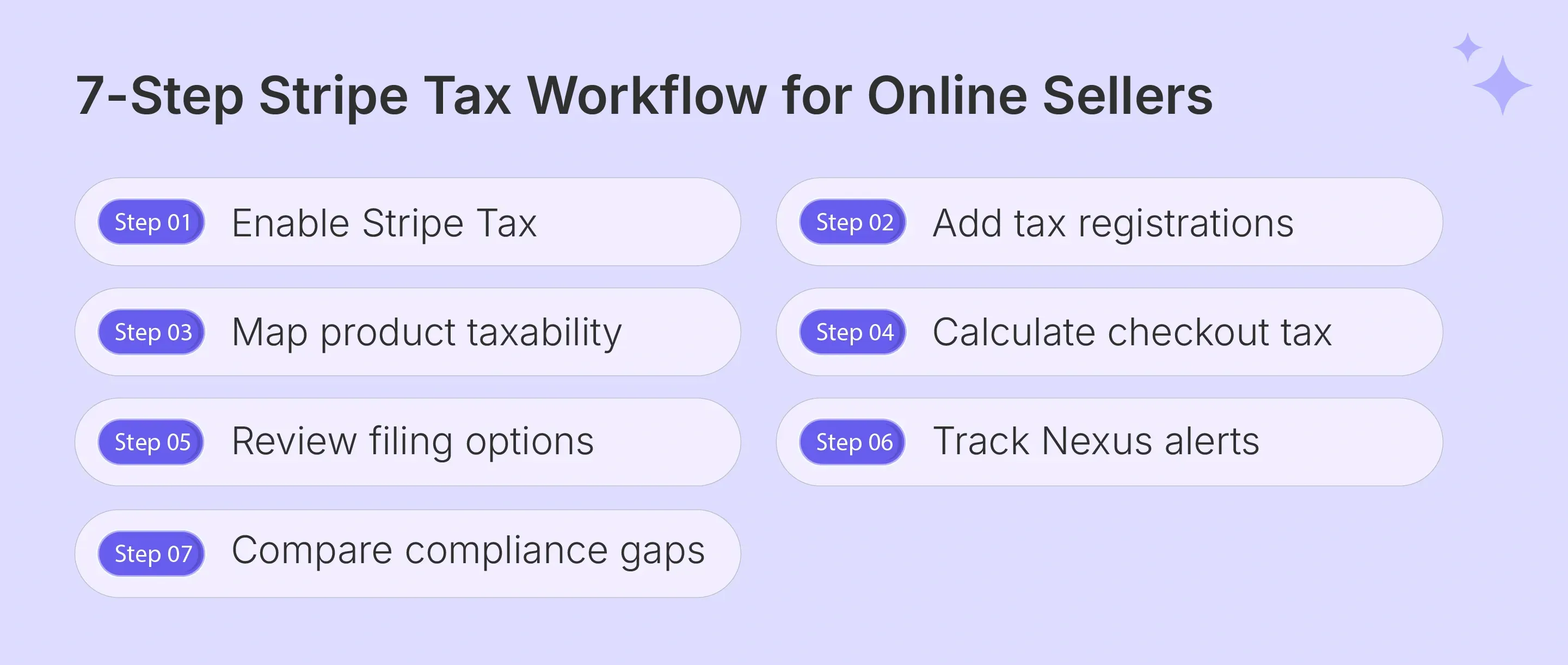
Step 1: Enable Stripe Tax
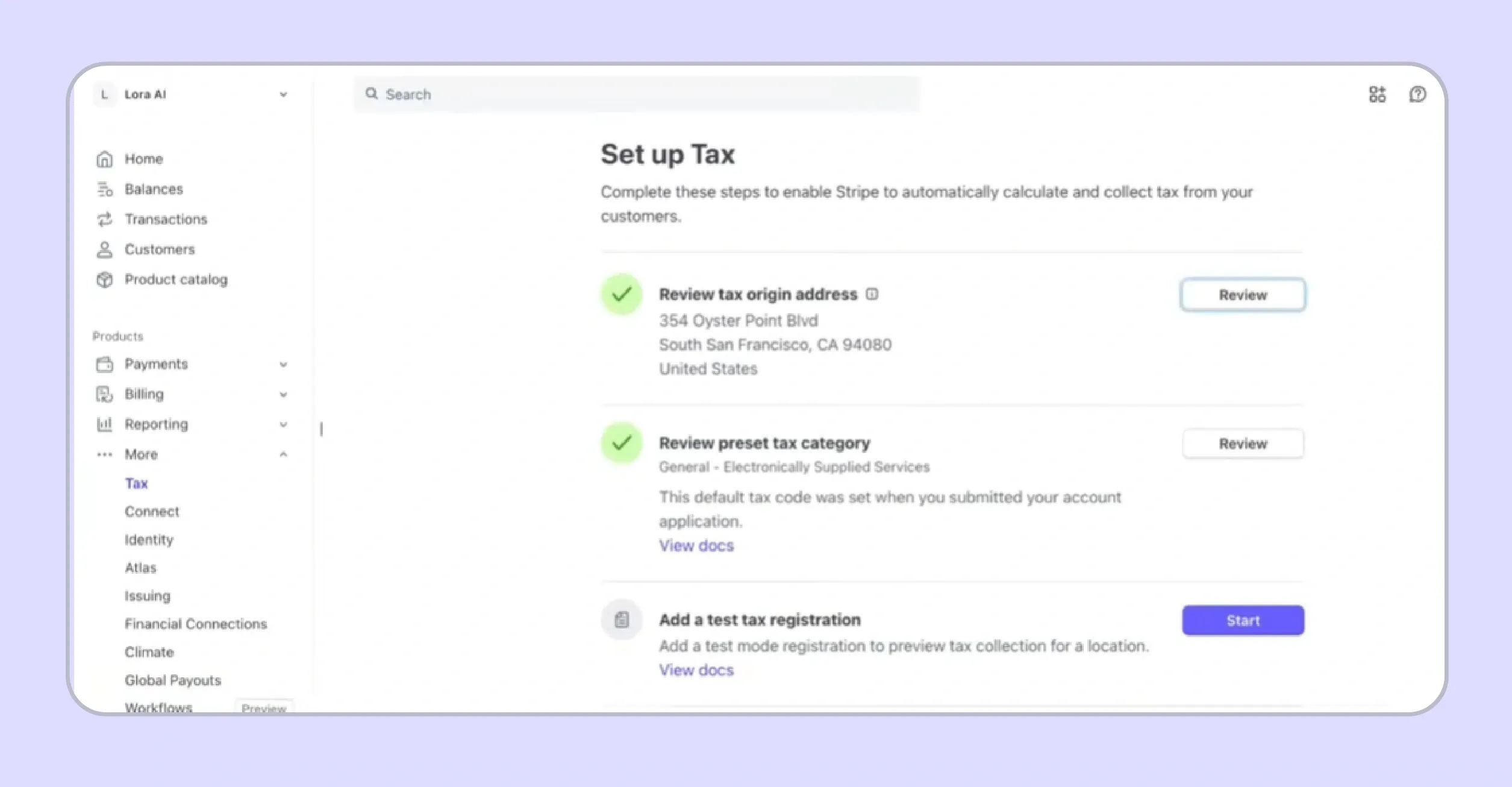
Go to the Stripe Dashboard and open the tax settings page. This is where you enable Stripe Tax, review your business details, and begin configuring automatic tax calculation for supported Stripe transactions.
Step 2: Add Tax Registrations

Stripe requires active tax registrations before automatic collection begins in a state or country. Add every jurisdiction where your business is already registered, or schedule a future registration date if collection should begin later.
Step 3: Map Product Taxability
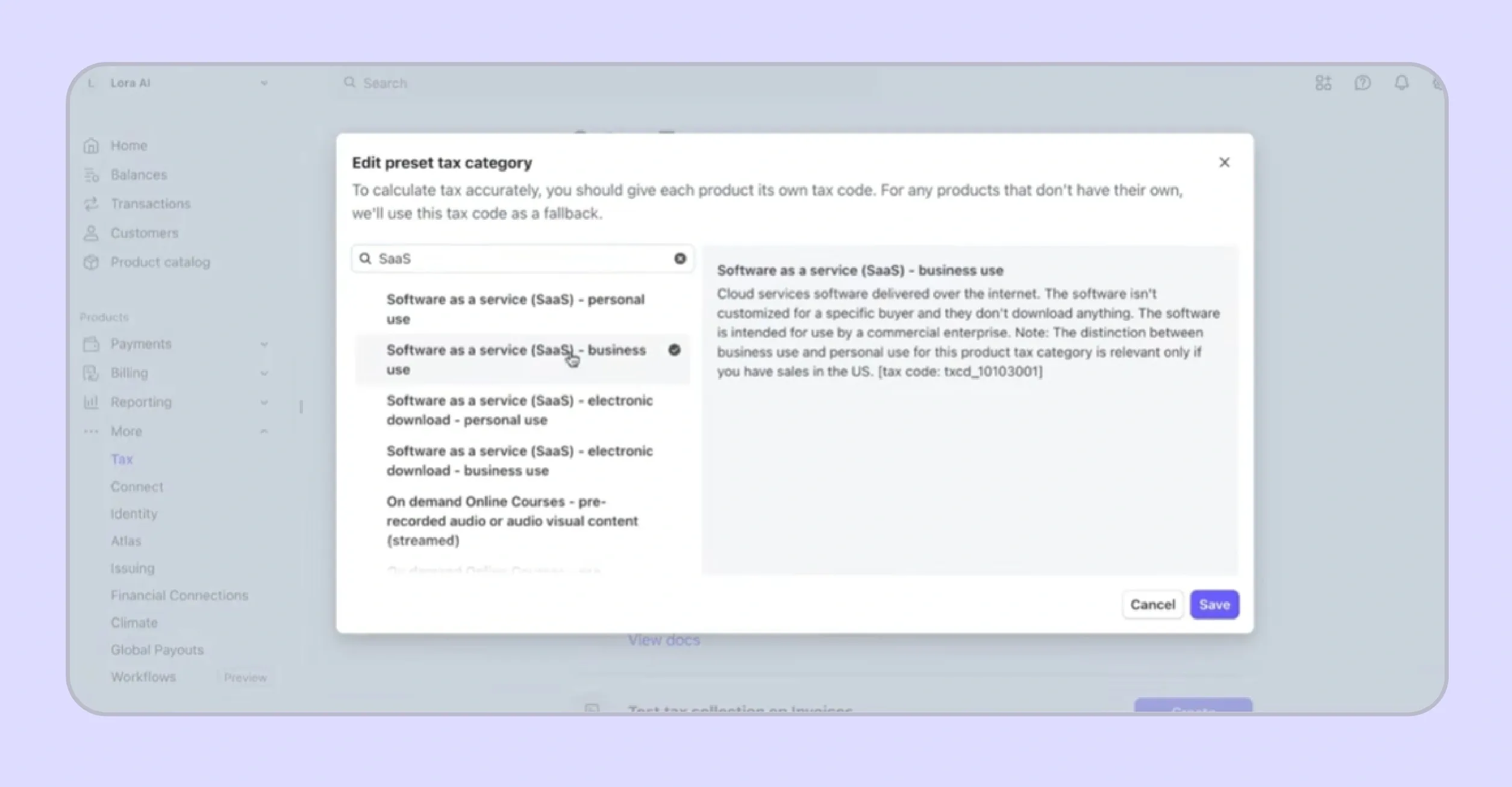
A tax code tells Stripe how your product or service should be treated for tax purposes. Choose the most accurate preset product tax code, then review existing products to confirm that each item has the correct classification.
Step 4: Calculate Checkout Tax

Enable automatic tax calculation for Stripe Checkout, invoices, subscriptions, payment links, or custom payment flows. Stripe then calculates tax using the customer’s location, registration status, product tax code, and configured tax behavior.
Step 5: Review Filing Options

After calculation setup, review Stripe’s filing options if your business wants return preparation support from external filing partners. This step is separate from tax calculation and may involve additional fees, partner workflows, and filing eligibility checks.
Step 6: Track Nexus Alerts
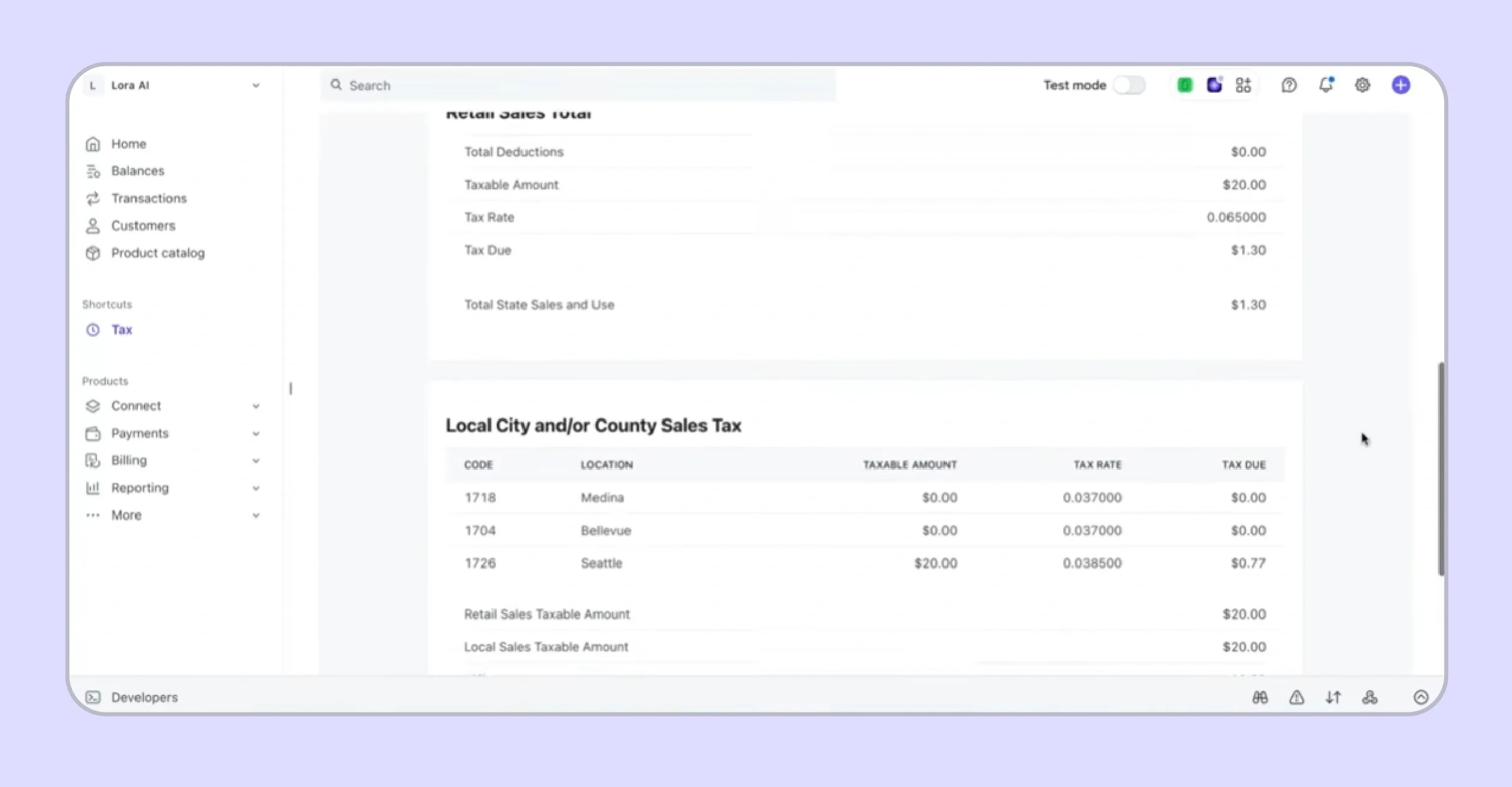
Stripe Tax can monitor economic Nexus based on Stripe-processed transactions and alert your team when thresholds are approached or crossed. Multi-channel sellers still need separate tracking for Amazon, Shopify, WooCommerce, direct invoices, and other non-Stripe revenue.
Step 7: Compare Compliance Gaps
Before relying only on Stripe Tax, compare what it covers against your full compliance workload. Stripe supports calculation and partner-led filing, while Galvix helps manage multi-channel Nexus tracking, state registrations, exemption certificates, specialist-reviewed returns, and notice responses.
Stripe Tax Complete and Filing Partners
Stripe Tax Complete extends the calculation layer with filing options for businesses that want to move beyond basic tax reports. In practice, this means filing is handled through selected external providers using Stripe tax data, rather than a dedicated Stripe compliance specialist assigned to your account:
- Stripe offers filing support through selected third-party filing partners that can help businesses prepare and submit returns using Stripe tax data.
- This setup works best when Stripe is the primary source of transaction data and the business has a simple filing footprint.
- For growing sellers, the limitation is ownership. A filing provider may submit returns, while the business still needs to manage data quality, non-Stripe revenue, exemption records, notices, and registration decisions.
- Businesses with revenue outside Stripe still need a separate way to consolidate transactions, track Nexus, and manage state obligations across channels.
- Galvix connects with Stripe to import transaction, product, and customer data, then supports sales tax compliance through managed filing, Nexus monitoring, state registrations, exemption certificate management, and notice handling.
- For multi-channel sellers, Galvix adds value by tracking compliance exposure across Stripe, ecommerce platforms, marketplaces, and other active sales channels, rather than relying on Stripe revenue alone.
| Pro Tip: |
|---|
| Every Galvix-managed return is handled with specialist oversight. This gives businesses a hands-on compliance model where a named expert reviews return data, checks for discrepancies, and supports notice resolution before tax issues become operational distractions. |
Read more: Automated Sales Tax in QuickBooks Online
Does Stripe Collect Sales Tax Automatically?
Yes, once calculation is enabled in the Dashboard and the business has completed state registration, Stripe Tax applies the correct rate at the checkout process. Collection happens automatically on Stripe-processed transactions in registered states.
Collection does not activate for states where registration has not been completed by the business. If your company crosses an economic Nexus threshold in a new state, Stripe Tax sends an alert. Collecting taxes with Stripe Checkout in that state requires completing the registration independently before Stripe begins applying the applicable tax rates.
How Does Stripe Tax Pricing Work?
Stripe sales tax automation uses a transaction-percentage pricing model that scales directly with your taxable revenue volume rather than charging a flat rate per return or per state.
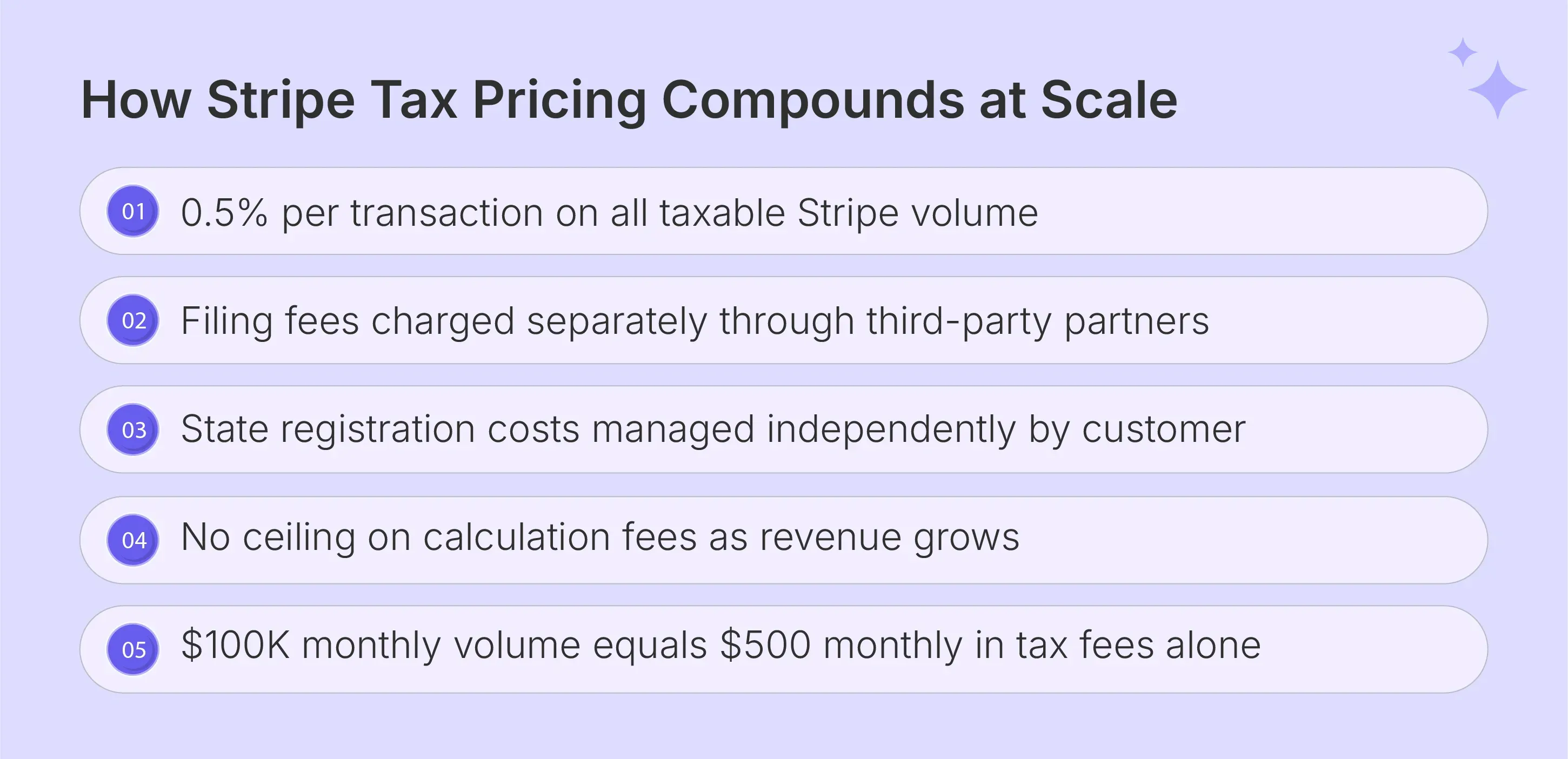
- Calculation Fee Structure: Stripe Tax charges 0.5% of the total transaction volume on which tax is calculated for no-code integrations, or $0.50 per transaction via API. Each transaction includes 10 calculation API calls, with an additional $0.05 charged per call above that allocation.
- Fee Application Scope: The 0.5% fee applies to each live taxable transaction processed through Stripe. This includes transactions where the customer abandons the checkout or where payment is not ultimately collected.
- Filing Costs Are Separate: Filing fees through Stripe Tax Complete or external filing partners are billed separately from the calculation fee. Tax Complete requires a monthly subscription with an annual contract, adding a fixed cost layer on top of the percentage-based calculation charges.
- Compounding Cost at Scale: At $100,000 in monthly taxable volume, the calculation fee alone reaches $500 per month, or $6,000 annually, before any filing costs are added. Businesses with growing revenue find that percentage-based pricing grows faster than a flat-rate per-return compliance model.
Where Does Stripe Tax Have Key Gaps for Growing Businesses?
Stripe sales tax automation works well within the Stripe payment ecosystem. The limitations surface when business activity spreads across marketplaces, ecommerce platforms, invoices, and offline revenue.
Nexus Tracking Covers Only Stripe Revenue, Not All Channels
Stripe Tax monitors economic Nexus based solely on transactions processed through its own payment infrastructure. Revenue from Amazon, Shopify, WooCommerce, or any direct invoicing channel is invisible to the Nexus tracking system. This creates a significant blind spot for multi-channel sellers operating across multiple ecommerce platforms.
This gap means a seller whose combined sales across all channels cross a state's $100,000 threshold may never receive a Stripe alert. The threshold was reached through non-Stripe revenue that the platform has no visibility into. It leaves the business unaware of a new sales tax Nexus obligation until a state notice arrives, requesting registration and payment of back-collected tax.
| Highlight: |
|---|
| This is where Galvix gives sellers a broader view of compliance by consolidating Stripe, Amazon, Shopify, WooCommerce, and other active sales channels into one Nexus monitoring view. Alerts at 75%, 85%, and 95% of each state threshold help teams plan registration before exposure becomes urgent. |
No Human Review Before Returns Are Filed
Returns prepared through Stripe's filing partners are submitted to state authorities without a dedicated specialist reviewing each return before state submission. This automated process relies entirely on the accuracy of the data flowing from the connected Stripe account into the filing system.
Sync errors, product taxability mismatches, or data discrepancies pass through the filing process without a pre-submission reconciliation check. Businesses that receive state notices after filing must resolve them independently. Stripe's filing partners do not manage ongoing state correspondence or provide dedicated customer service for notice resolution.
| Highlight: |
|---|
| Galvix adds a human review layer before every return is filed, which is especially valuable for sellers with multi-state exposure, exempt customers, and products taxed differently across states. A dedicated compliance specialist reconciles transaction data, reviews return details, and checks for discrepancies before submission. If a state notice, audit inquiry, or filing frequency update arrives later, the Galvix team manages the response rather than leaving the seller to resolve it. |
State Registration Support Is Limited
Stripe Tax alerts the business when a Sales Tax Nexus is crossed within Stripe-processed transactions. It does not handle the actual state registration process on the business's behalf or manage the portal credentials and permit renewals after registration is completed. Businesses must navigate each state's revenue portal and permit application process independently after receiving a Stripe Nexus alert. Exemption certificates for B2B or tax-exempt customers require manual setup within Stripe, and no automated certificate collection, validation, or storage is included in any tier of the Stripe sales tax automation product.
| Highlight: |
|---|
| Once a new Nexus obligation appears, Galvix handles registrations as a done-for-you service. The team manages portal work, credentials, permit setup, and exemption certificate support, helping sellers stay audit-ready without manual tracking. |
Read more: BigCommerce Sales Tax Guide for Ecommerce Sellers
Who Does Stripe Tax Work For and Who Needs a Different Solution?
Stripe sales tax automation serves a specific business profile well and creates friction for multi-channel sellers and high-volume teams often need broader compliance control.
Good Fit
- SaaS and digital product businesses processing 100% of revenue through Stripe, operating in a small number of states, with simple taxability needs and manageable filing deadlines
- Businesses that want sales tax calculation integrated with their Stripe Dashboard without connecting a separate third-party tax automation tool
Poor Fit
- Multi-channel sellers whose Amazon, Shopify, or WooCommerce revenue contributes to Nexus thresholds alongside Stripe transactions across multiple states
- High-volume businesses where 0.5% transaction-based pricing exceeds the cost of a flat-rate per-return model as revenue scales upward year over year
- Teams that want a human specialist reviewing every single return before filing and managing all state correspondence, including audit inquiries and filing frequency changes, on their behalf

Read more: NetSuite Sales Tax Automation Guide
Why Is Galvix a Better Alternative to Stripe Tax for Multi-State Compliance?
Stripe Tax helps businesses calculate sales tax for transactions processed through Stripe. It works for companies operating within the Stripe ecosystem and managing simple tax requirements.
The limitations appear when businesses sell across several channels, handle higher transaction volumes, or need hands-on compliance support. Percentage-based pricing can also become expensive as revenue grows.
Galvix is designed for those challenges. It connects with Stripe and other sales channels to track total Nexus exposure across the business, then supports calculation, registrations, filings, exemption certificates, and notices.
With Galvix, dedicated compliance specialists prepare returns, reconcile transaction data, and manage state-level communication on the company’s behalf. That makes Stripe Sales Tax automation easier to use alongside a complete managed compliance model.
Here is what Galvix delivers that Stripe sales tax automation does not:
- Multi-Channel Nexus Monitoring: Galvix tracks Nexus across Stripe, Amazon, Shopify, WooCommerce, and all other active channels simultaneously, with proactive alerts at 75%, 85%, and 95% of every state threshold.
- Expert-Prepared Returns With Human Review: A named specialist reviews every return before it reaches any state revenue authority, with independent reconciliation against billing data performed as a standard step. This catches sync errors and taxability mismatches that automated filing systems process without flagging to your team.
- Done-for-You State Registrations: When Nexus is triggered in a new state, Galvix handles the entire registration process at a flat fee per state, managing all portal work, credentials, and permit maintenance from application through renewal. See the full list of Galvix platform integrations to confirm compatibility with your existing billing and payment systems.
- Full State Correspondence Management: All state notices, audit inquiries, filing frequency changes, and rate update communications are monitored, interpreted, and responded to by the Galvix compliance team on your behalf. Your finance team stays informed through the dashboard without drafting a single response to any state authority.
- Flat Per-State Pricing: Galvix charges a flat rate per state per month, with no percentage of transaction volume fee applied to any transaction. This makes compliance costs fully predictable regardless of how fast your revenue grows in any given quarter or year.
Here is how the two approaches compare directly across every compliance dimension:
| Feature | Stripe Tax | Galvix |
|---|---|---|
| Tax Calculation | Yes; Stripe transactions only | Yes; all channels |
| Nexus Monitoring | Stripe revenue only | All channels, all 50 states |
| Proactive Threshold Alerts | Yes; Stripe revenue only | 75%, 85%, and 95% across all channels |
| Filing | Via third-party partners; extra fee | Included; expert-prepared and human-reviewed |
| Human Review Before Filing | No | Yes, every return |
| State Registration Support | Not included | Done-for-you; flat fee per state |
| Notice Management | Customer manages independently | Fully managed by Galvix team |
| Pricing Model | 0.5% of taxable transaction volume | Per state per month starting at $60 |
Users like The Informed SLP reduced monthly compliance work from hours to under 20 minutes, and Lindye Galloway Studio eliminated 80 hours of monthly compliance work entirely after switching to Galvix from a self-managed tool.
Schedule a personalized Galvix demo and see how managed compliance works alongside your Stripe account without replacing your payment processing setup.
Frequently Asked Questions
How Much Does Stripe Charge for the Tax API?
Stripe Tax charges 0.5% per transaction for no-code Stripe sales tax automation integrations, or $0.50 per API transaction for businesses using custom code. Each transaction includes 10 calculation API calls, with $0.05 charged per additional call above that threshold. Filing through Stripe Tax Complete or external partners carries separate fees on top of the calculation charge.
How Do I Set Up Sales Tax in Stripe?
Navigate to the Stripe Dashboard, enable Stripe Tax under the Tax settings section, and confirm your business address. Add the US states where your business is registered for sales tax collection, assign product taxability categories to your line items, and enable calculation on your active Stripe Checkout, invoices, or subscription billing flows.
What Is the Difference Between Stripe Tax and Stripe Managed Payments?
Stripe Tax is a compliance calculation layer that adds sales tax to transactions processed through Stripe. Stripe Managed Payments is a merchant-of-record solution where Stripe assumes liability for payment compliance. Stripe Tax leaves all tax filing and compliance accountability with the business. For businesses wanting filing accountability owned by a service provider, Galvix manages the entire compliance process from filing through notice response.
Does Stripe Automatically Collect Sales Tax?
Yes, once Stripe Tax is enabled and state registrations are completed, Stripe applies the correct rate at checkout automatically. Collection activates only in registered states, so new Nexus obligations require completing registration independently before taxes with Stripe Checkout are collected on transactions in that jurisdiction.