

| Key Pointer |
|---|
| • NetSuite offers Legacy Tax and SuiteTax for sales tax calculation |
| • SuiteTax is non-reversible once enabled in your NetSuite environment |
| • Neither module files returns, remits payments, or tracks Nexus thresholds |
| • Exemption certificates require separate management outside NetSuite natively |
| • Multi-channel sales outside NetSuite are invisible to Nexus monitoring |
| • Galvix connects to NetSuite and handles full compliance end-to-end |
NetSuite is a cloud ERP platform built for growing and mid-market businesses. It serves as a single source of truth for multiple functions, ranging from financial reporting and inventory to billing and revenue recognition. Where it consistently falls short is sales tax compliance.
NetSuite's native tax tools, Legacy Tax and the newer SuiteTax module, handle basic tax calculations for invoices and sales order entries. They leave filing, Nexus monitoring, state registrations, and exemption certificate management entirely with your internal finance teams.
For a business operating in one or two states with simple product taxability, that gap is manageable. For a business filing in multiple states, selling through multiple sales channels, or approaching economic Nexus thresholds in new states, the compliance workload that NetSuite does not handle amounts to hours of manual effort each month. Tax teams and finance teams at growing companies cannot consistently absorb this without errors or delays.
This blog covers how NetSuite Sales Tax automation works in practice and what SuiteTax does and does not handle. We will also cover how to calculate sales tax in NetSuite and how Galvix fills every gap that NetSuite leaves open so your team can stop operating in compliance and start reviewing it.

Does NetSuite Have a Sales Tax Module?
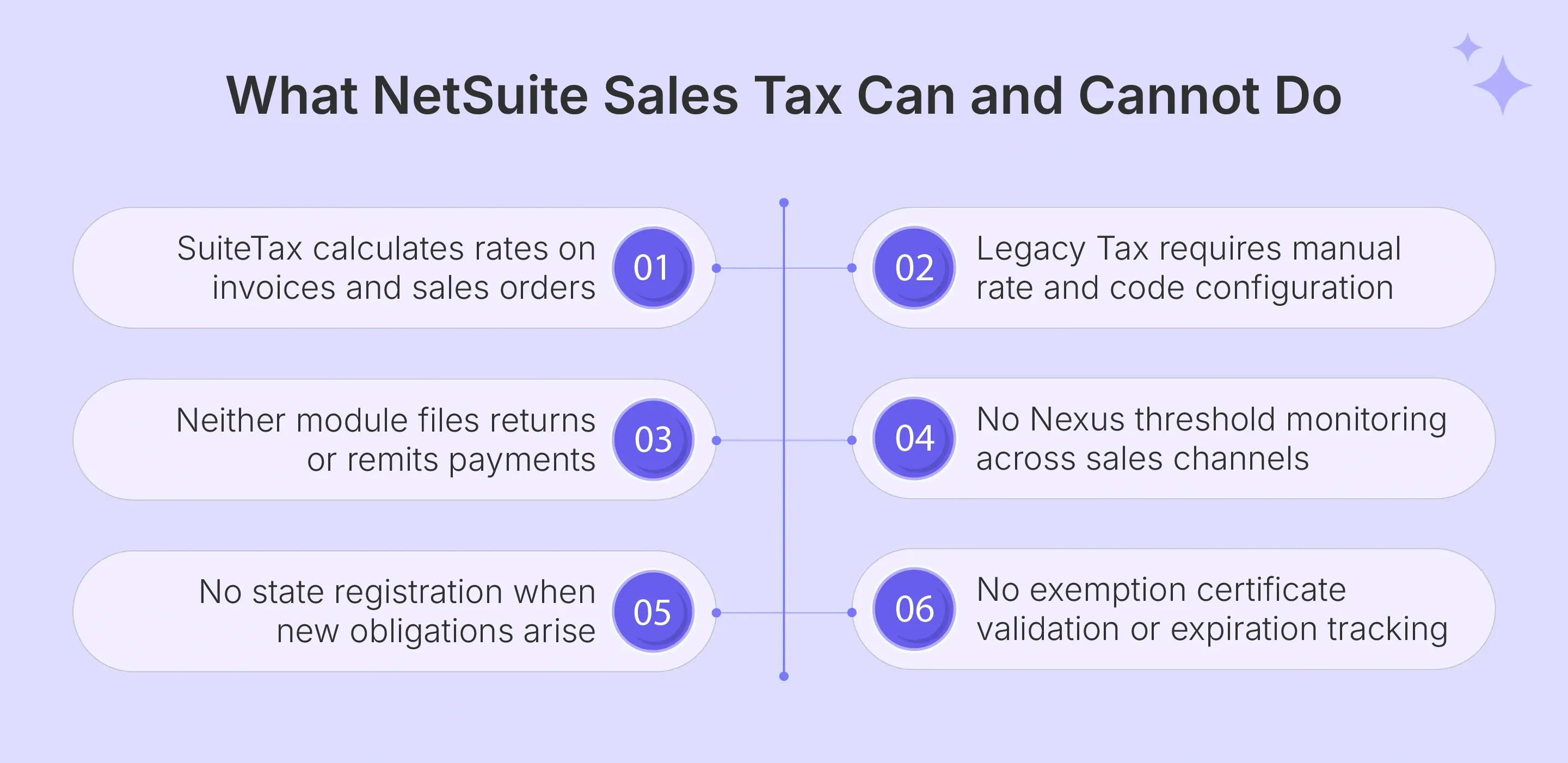
Yes, NetSuite offers two sales tax frameworks: Legacy Tax and SuiteTax. Legacy Tax depends on manual setup for rates, codes, and rules. SuiteTax is the newer framework, designed to support calculations and reporting inside the NetSuite ERP environment. But neither framework file returns, monitors economic Nexus, or registers businesses in new states as part of the standard service.
What NetSuite Legacy Tax Does and Does Not Cover
The legacy tax engine in NetSuite gives NetSuite users direct control over rate configuration, which works for smaller companies with limited state exposure and simple product taxability rules.
- Manual tax rate setup is required for every jurisdiction including state, county, and city entries; rates do not update automatically when state sales tax rules change across tax jurisdictions.
- Tax code assignments and product taxability rules must be configured per product, customer type, and state individually, requiring ongoing maintenance as sales volume grows.
- Filing, remittance, and Nexus monitoring are not included at any level of Legacy Tax configuration within the NetSuite ERP environment.
What NetSuite SuiteTax Does and Does Not Cover
SuiteTax is the newer tax engine in NetSuite, designed to replace the legacy tax engine with automated rate lookup and broader indirect tax coverage for both US and international transactions.
- SuiteTax automates tax rate lookup based on customer location and product type for US state sales tax, use tax, and international sales tax scenarios in real time.
- Implementation is non-reversible once activated; incorrect initial configuration forces a full restart of the setup process, which creates significant risk for large enterprises with complex multi-entity structures.
- SuiteTax provides calculation only as part of the ERP platform; filing, state registration, and proactive Nexus alerts remain the customer's responsibility entirely.
How to Calculate Sales Tax in NetSuite?
Configuring NetSuite Sales Tax automation correctly requires completing several setup steps. This is vital for the system to produce accurate tax amounts on invoices and sales order records. The approach varies depending on whether your account uses Legacy Tax or SuiteTax.
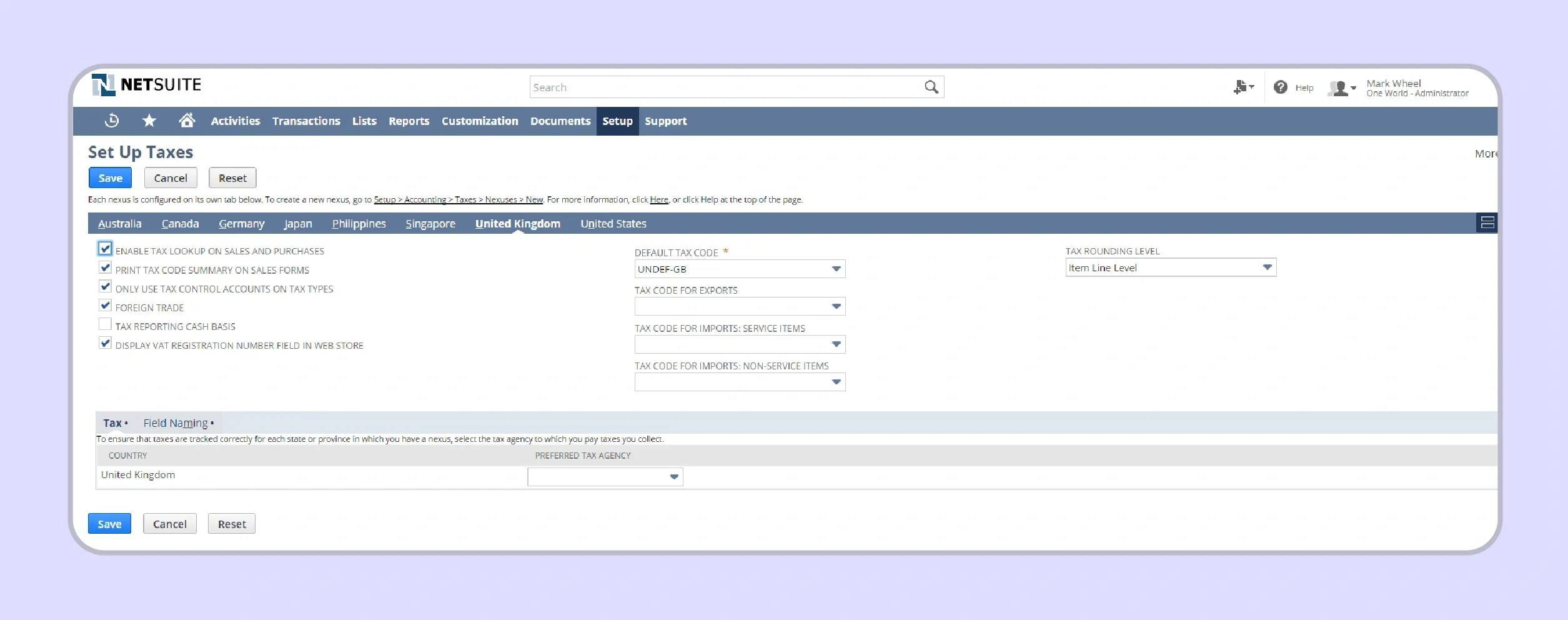
Setting Up Tax Codes and Schedules for US Sales Tax
Every state where your business has a Nexus obligation requires a tax code entry in NetSuite before the system can apply the correct standard rate to transactions in that jurisdiction.
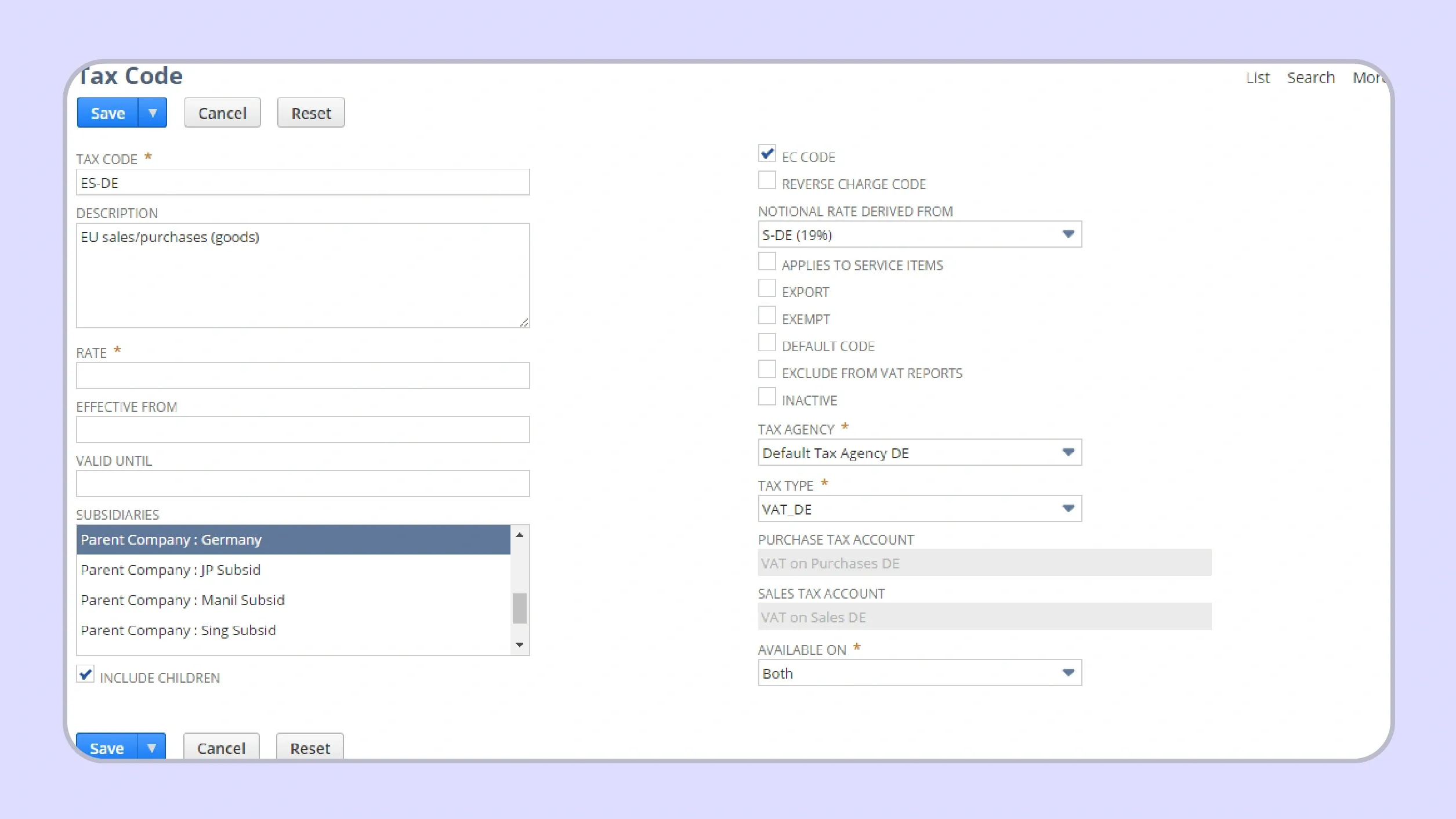
Create a tax code for each state where you have Nexus, and manually assign the correct jurisdiction and tax rate in the code record. The tax code name should clearly identify the state and rate type so your finance teams can verify assignments immediately during monthly reviews.
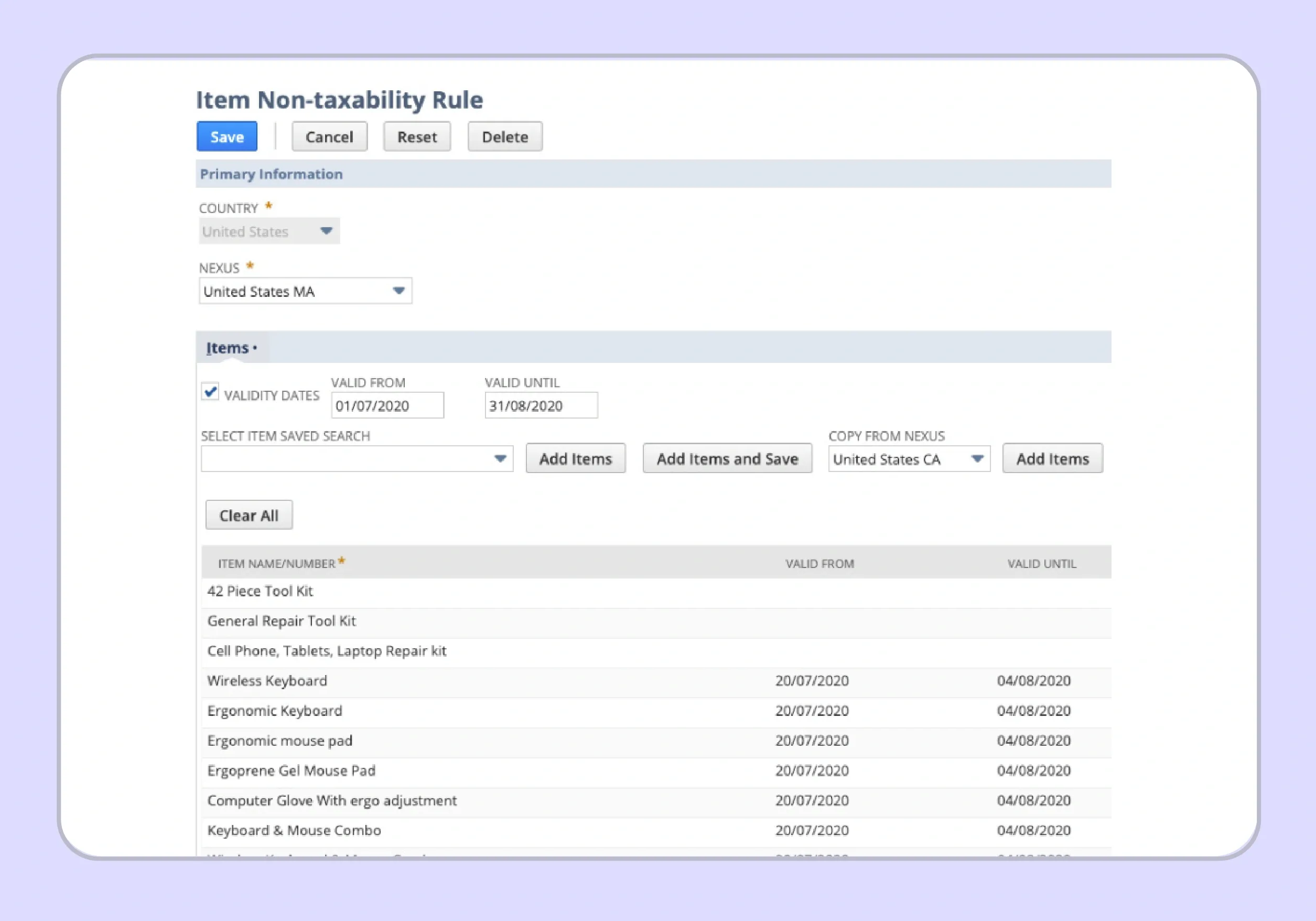
Apply tax schedules to product categories to control which items are taxable and at what tax rate in each state. Some states tax digital products at a standard rate while others exempt them entirely, so each product record must reflect the correct product taxability classification for every active jurisdiction.
Use the Tax Item field on each sales order to confirm the correct rate is applied before the transaction is processed, as incorrect assignments at this stage carry forward through the entire invoicing and revenue recognition workflow.
Configuring SuiteTax for Accurate Calculations
SuiteTax provides automated rate lookup that eliminates manual tax rate entry for most US tax jurisdictions, which reduces the manual effort required for ongoing maintenance compared to the legacy tax engine.
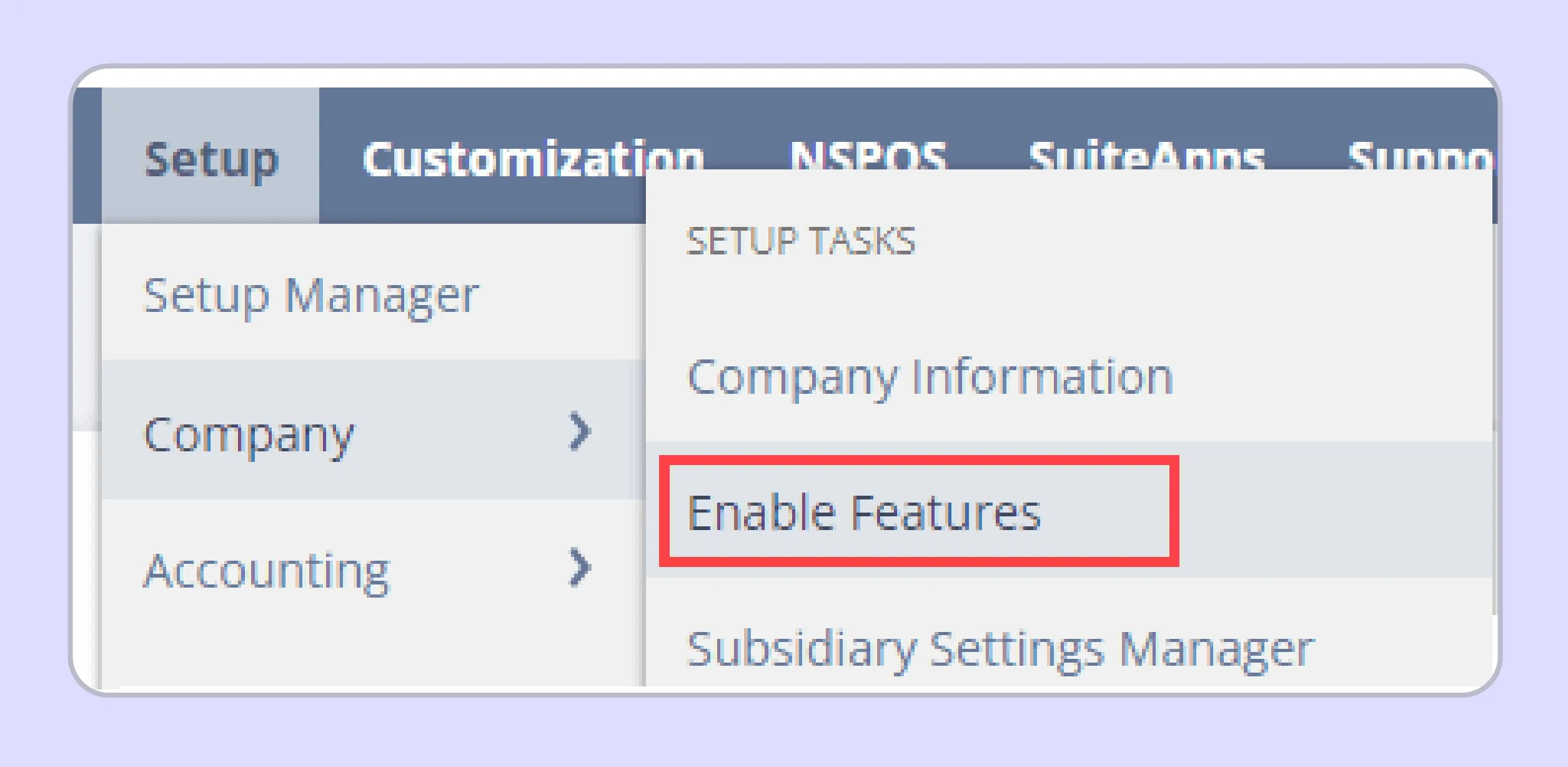
Enable SuiteTax through the Setup menu in NetSuite and verify that your organization address is correct before activation, as the system uses this address to set your home jurisdiction for all outbound sales tax collection calculations. An incorrect address creates systematic rate errors across every invoice until corrected.
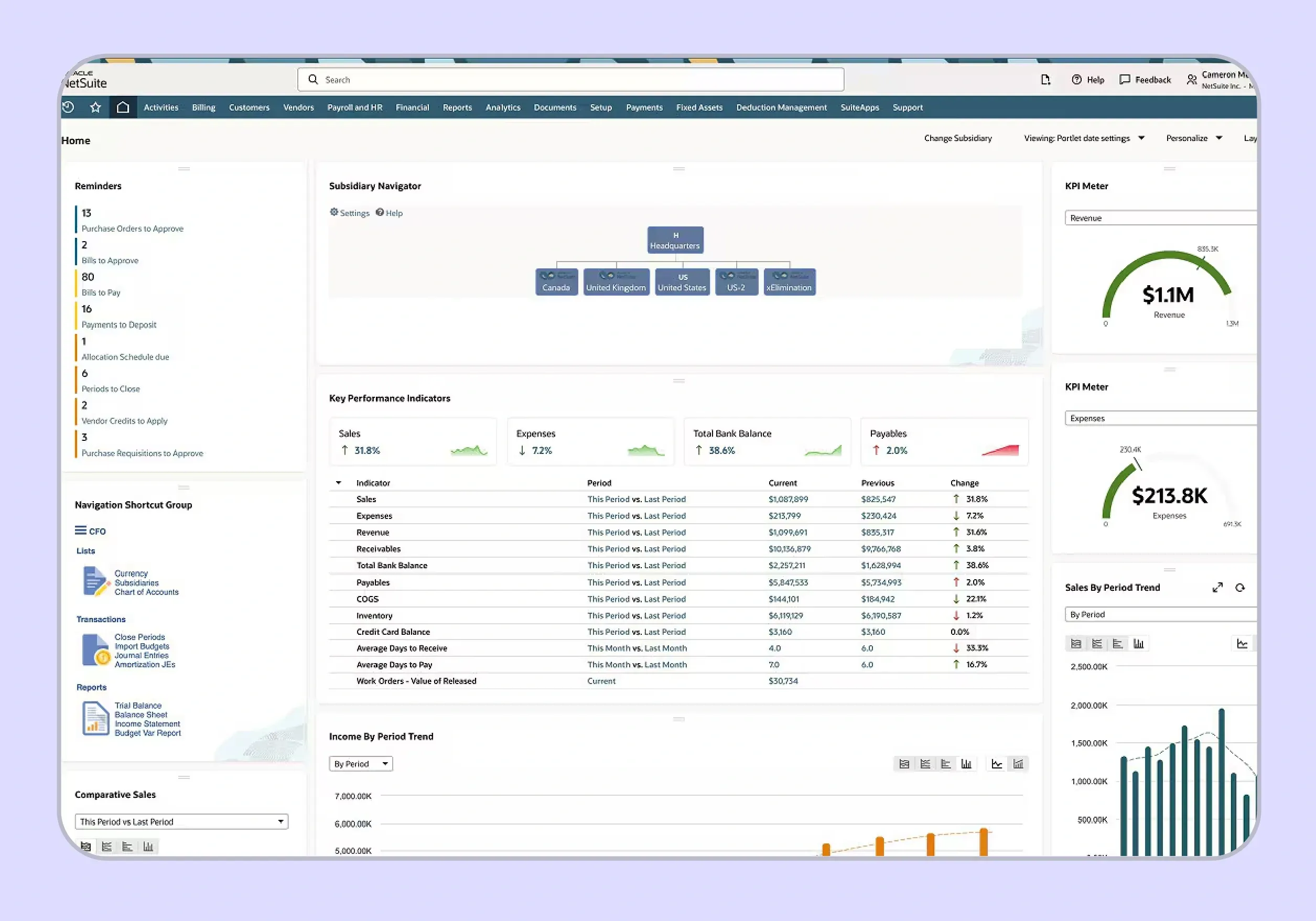
Connect a certified SuiteTax partner for rooftop-level accuracy across all US tax jurisdictions. NetSuite's native tax engine calculates at the single zip code level for many jurisdictions, which misses county and special district rates that affect the total tax amounts on each transaction. If you operate a multi-entity NetSuite OneWorld environment, map each subsidiary and entity separately within SuiteTax, as tax details and Nexus status differ across legal entities.
Where Does NetSuite Sales Tax Automation Fall Short?
NetSuite Sales Tax automation covers rate calculation within the ERP effectively when configured correctly. Three critical compliance functions remain outside what either Legacy Tax or SuiteTax provides for businesses operating across the United States.
No Automated Filing or Remittance
NetSuite does not file sales tax returns in any state, and the gap between what the system calculates and what reaches state revenue departments sits entirely with the customer's internal team.
Returns must be submitted manually through each state portal using data exported from the NetSuite tax liability reports. Finance teams filing in 10 or more states spend 3 to 5 hours per month on manual submissions, payments, and reconciliations against state-specific return formats. NetSuite has no integration with state e-filing systems, so all payment remittances are managed by your tax teams independently.
No Nexus Monitoring Across Sales Channels
NetSuite Sales Tax automation tracks only transactions processed within the ERP itself. It does not automatically combine revenue from Shopify, Amazon, marketplaces, and other storefronts. That creates blind spots when Nexus limits are measured across total sales activity. A business with a physical presence, marketplace volume, and direct ERP sales needs a single consolidated view. Without that view, teams depend on spreadsheets and saved searches. That approach weakens the management of sales tax when new state obligations arise mid-year.
Exemption Certificate Gaps
NetSuite can store exemption certificates, which helps teams maintain customer records. It does not fully automate expiration tracking, renewals, or self-service collection. Missing certificates can create audit exposure for B2B sellers with exempt customers.
Missing or expired exemption certificates create material audit exposure for businesses with exempt B2B customers across multiple states. For instance, while states like New Hampshire have no sales tax, neighboring states like Massachusetts have active sales tax programs and may audit exempt transactions regularly.
Certificate validation against each tax authority's specific format and renewal requirements must be performed manually by the customer's team. This is where most NetSuite users face their highest audit risk.

What Are the Best Practices for NetSuite Sales Tax Automation?
Follow these NetSuite Sales Tax automation best practices to reduce errors before your next multi-state compliance cycle.
- Connect a certified SuiteTax partner before go-live to replace NetSuite's native tax engine with rooftop-level accuracy that covers local district rates the single zip code lookup misses.
- Ensure the partner covers all active sales channels outside NetSuite for consolidated Nexus exposure tracking across your complete revenue footprint in the United States.
- Verify that the NetSuite integration supports multi-subsidiary OneWorld environments if your business operates multiple legal entities with different tax liability profiles.
- Review state-by-state revenue from all channels monthly as economic Nexus thresholds can be crossed mid-year without any alert from the NetSuite ERP environment.
- Account for physical presence Nexus triggers including remote employees, contractors, and third-party fulfillment inventory stored in states where your business does not have a dedicated office.
How Does Galvix Automate NetSuite Sales Tax for Your Business?
Most SuiteTax partners solve tax calculation inside NetSuite and stop there. Filing, Nexus monitoring, state registrations, exemption certificate management, and notice handling still sit with your team. That leftover workload grows every time your business enters another state or adds another sales channel.
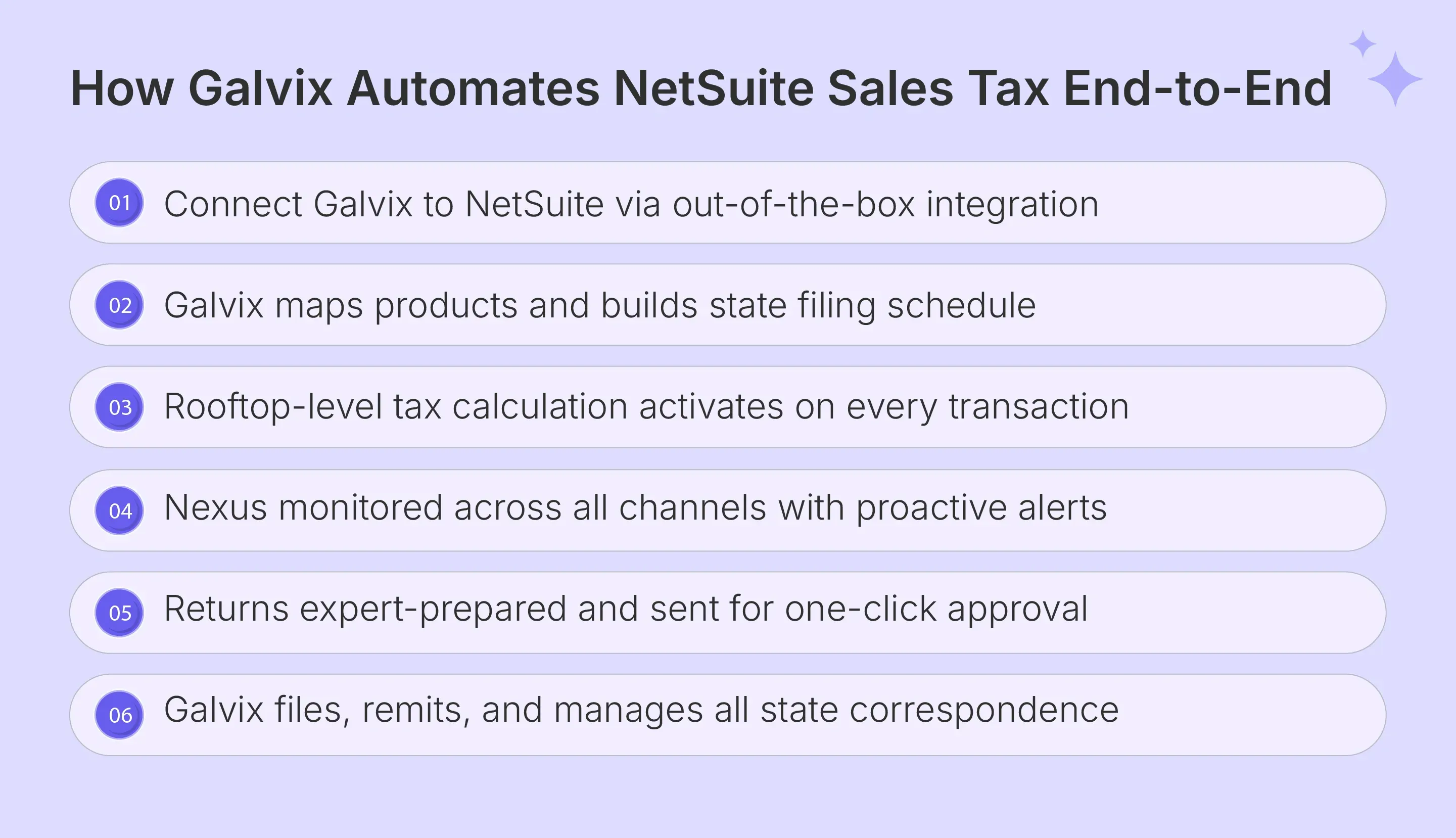
Galvix is built to remove that operational burden. We connect directly with your NetSuite account through a managed integration that supports both SuiteTax and Legacy Tax setups. From there, we help your team manage rooftop-level tax calculation, multi-channel Nexus tracking, registrations, return preparation, and state notice handling across all 50 states.
That makes NetSuite Sales Tax automation more than a calculation layer. Our sales tax software connects to your NetSuite account, syncs transaction data, and assigns a named compliance specialist. The result is a clearer operating model for lean finance teams.
Here is what Galvix handles that NetSuite and calculation-only partners do not:
- Rooftop-level tax calculations: Every NetSuite invoice and sales order gets accurate sales tax treatment at the address level. Updates reflect changes in tax rates, tax codes, and product taxability rules without manual effort from the finance team.
- Multi-channel Nexus monitoring: Nexus exposure is tracked across NetSuite and every active sales channel. Alerts at 75%, 85%, and 95% help teams act before new sales tax collection obligations begin.
- Done-for-you state registrations: State registrations are handled at a flat fee per state. The process covers portal work, tax authority correspondence, and permit maintenance from application through renewal.
- Expert-prepared returns: Every return is prepared and reviewed by a named compliance specialist before filing. Independent reconciliation checks NetSuite transaction data and tax amounts before submission to state revenue departments.
- State notice management: State notices, audit inquiries, and filing frequency changes are handled directly by the Galvix team. Your tax team receives clear dashboard updates instead of drafting state responses internally.
Let’s analyze how Galvix compares to NetSuite Native and SuiteTax Partner:
| Feature | NetSuite Native | SuiteTax Partner (Calculation Only) | Galvix |
|---|---|---|---|
| Real-Time Tax Calculation | Manual setup; known accuracy gaps | Yes; rooftop-level | Yes; rooftop-level |
| Nexus Monitoring | Not included | NetSuite only | All channels, all 50 states |
| Proactive Threshold Alerts | Not included | Not included | 75%, 85%, and 95% |
| Return Filing | Not included | Not included | Included; expert-prepared |
| Human Review Before Filing | Not applicable | No | Yes, every return |
| State Registration | Not included | Not included | Done-for-you; $150 per state |
| Notice Management | Not included | Not included | Fully managed by Galvix team |
| Global Tax Compliance | SuiteTax covers VAT/GST | Varies | US focus with multi-channel scope |
| Contract | NetSuite terms | Varies | Month-to-month; no lock-in |
Galvix also supports broader platform coverage across Shopify, QuickBooks, Stripe, Amazon, BigCommerce, WooCommerce, Zoho Books, and Microsoft Dynamics 365 Business Central. That gives multi-channel sellers a single source of truth for sales tax compliance activity across platforms.
Schedule a personalized demo to see what fully managed NetSuite Sales Tax automation looks like for your specific business.
Frequently Asked Questions
What Is the Best Sales Tax Software for NetSuite?
SuiteTax-certified partners like Avalara and Vertex handle tax calculations within the NetSuite ERP environment at rooftop-level accuracy. For NetSuite users who also need filing, Nexus monitoring, certificate management, and notice handling alongside calculation, Galvix delivers the full sales tax compliance scope as a managed service with a named specialist per account.
Does NetSuite Have a Sales Tax Module?
NetSuite offers Legacy Tax for manual tax rate configuration and SuiteTax for automated calculation in the NetSuite ERP environment. SuiteTax is non-reversible once enabled and requires a certified partner for accurate local jurisdiction rates. Neither module handles filing, Nexus monitoring, or state registration as part of the standard platform.
What Are the Downsides of NetSuite?
NetSuite carries high annual licensing costs starting around $25,000 per year, requires significant implementation resources, and leaves sales tax compliance functions like filing, Nexus monitoring, and exemption certificate management entirely with the customer's team. For smaller companies and large enterprises alike, the manual effort required for managing sales tax in the NetSuite ERP environment grows with each new state added.
Is NetSuite Easier Than QuickBooks?
QuickBooks is significantly easier to implement and operate for small businesses with simple requirements. NetSuite is built for mid-market and large enterprises with complex multi-entity, multi-currency, and inventory requirements. Both platforms share the same core sales tax gap: calculation within the platform, no filing or Nexus monitoring included as part of the standard subscription.
How Much Does NetSuite Cost Per Year?
NetSuite pricing starts around $25,000 per year for the base license and scales with user count, modules, and OneWorld entities for multi-subsidiary operations. Actual costs frequently reach $50,000 to $100,000 or more once ERP, payroll, and advanced modules are included in the annual subscription. Pricing is not published and requires a direct sales quote from Oracle.
How Does NetSuite Handle Taxes?
Legacy Tax uses manually configured tax code entries and tax schedules per jurisdiction, while SuiteTax automates tax rate lookup based on customer address and product taxability classification for both US state sales tax and international indirect tax scenarios. Neither system handles return filing, payment remittance, Nexus monitoring, or state registration on the customer's behalf at any level.
Who Are NetSuite's Biggest Competitors?
Primary ERP competitors include SAP Business One, Microsoft Dynamics 365, Sage Intacct, and Acumatica for mid-market businesses, alongside QuickBooks Enterprise for smaller companies with less complex requirements. For NetSuite Sales Tax automation specifically, third-party platforms like Galvix serve NetSuite users as managed or software-based compliance solutions alongside the ERP.